v1.0 · chrome extension
The quiet lens
for the web.
A tiny chrome extension that reveals what a webpage is made of. Reading time, color palette, fonts, links — one click, no setup.
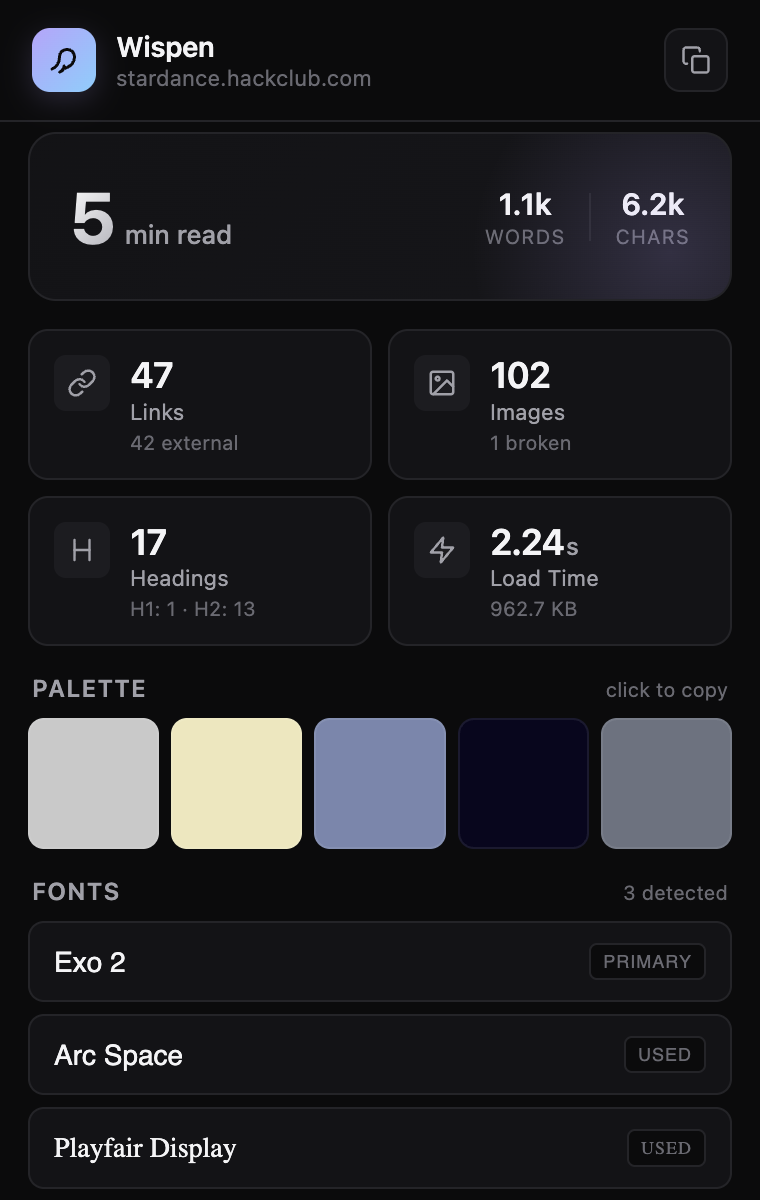
A tiny chrome extension that reveals what a webpage is made of. Reading time, color palette, fonts, links — one click, no setup.
Instantly know how long an article takes to read. Word and character count included.
Extracts the top 5 colors from any page. Click any chip to copy the hex code.
See every font family used on the page. Click to copy the CSS font-family string.
Count of every link on the page, split by internal vs external destination.
Total image count plus a broken-image detector. Great for content audits.
Actual page load time and total transferred size, pulled straight from the browser.
Grab the code from GitHub. Any zip download or git clone works.
github repo →Paste that in your Chrome address bar. Turn on Developer mode in the top-right corner.
Click Load unpacked, select the wispen folder, then pin the icon to your toolbar.
That's it. Try it on stripe.com or your favorite article.